Widgets
Use what you need. Ignore the rest.
Prices, sentiment, news, macro calendar, funding rates, heatmaps, top movers, liquidation maps, sessions clock, earnings, forex strength. Pick the ones that matter to your trading and ignore the rest. Every widget updates in real time and connects to Trada for instant context.
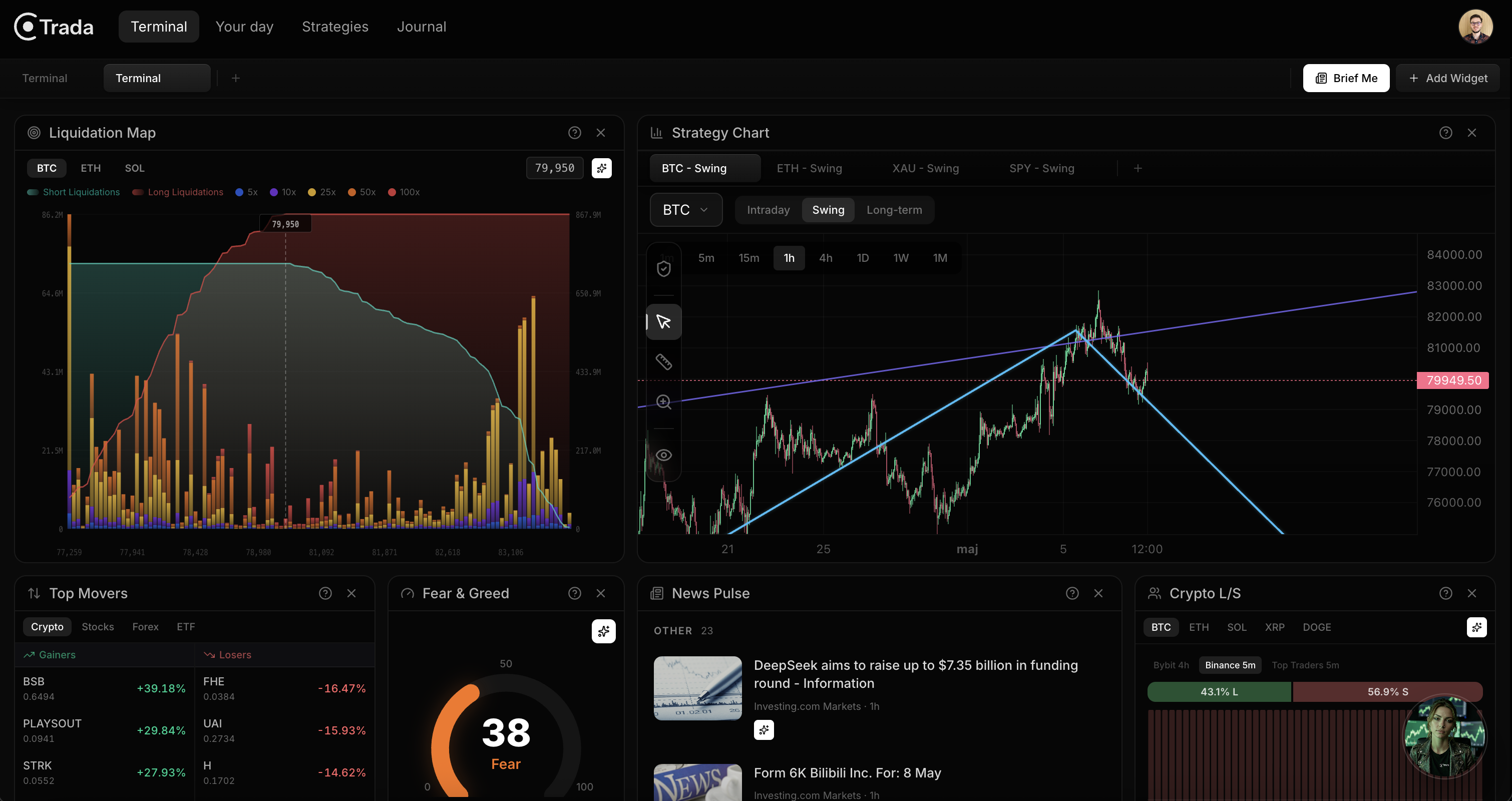
Four categories. One workspace.
Market widgets give you the pulse of every asset class you trade. Live prices, Fear & Greed, funding rates, heatmaps, top movers, liquidation maps. Macro widgets show the bigger picture. Economic calendar, clustered news, COT reports, forex strength. Data widgets cover niche setups. Earnings, crop weather. Not every trade is about technicals. Media keeps Bloomberg and CNBC running alongside your workspace without leaving Terminal.
Layout
Your setup. Not someone else's default.
Drag widgets around. Resize them from any edge. The grid snaps everything into place. Create separate tabs for different sessions. One for your pre-market scan. One for live trading. One for macro days. Save it once, it's there every time you open Terminal. Up to 8 tabs, each with its own layout. Your workspace adapts to how you trade, not the other way around.
Persistent by default.
Your layout saves automatically. Close the browser, come back tomorrow, everything is exactly where you left it. No re-configuring. No starting from scratch. You built it once because it works for you. The system remembers that.
Ask Trada
Tap any number. Get the story.
You see the Fear & Greed at 38. What does that mean for your positions? You notice funding rates spiking. Should you care? Tap any widget and Trada breaks it down. What happened, why it matters, and whether it changes anything about your plan. No Googling. No second-guessing. Context, right where you need it.
It knows what you're trading.
Trada doesn't give you a generic answer. It reads the data from the widget you tapped and connects it to your strategies and open positions. When it explains a data point, it tells you whether it confirms your thesis, challenges it, or changes nothing. Same number, completely different meaning depending on what you're actually trading.
Brief Me
Your market in 30 seconds.
One button. Trada scans every widget on your screen and writes a structured market brief. What moved overnight, what's coming up, and what's relevant to your open positions. Pick a quick brief for 3-4 key takeaways you can read in 10 seconds, or a deep brief for the full analysis with sections. It's the morning prep you'd do anyway, done in the time it takes to pour your coffee.
You've seen what's inside
Your next session
starts here.
Build your workspace. Add the widgets that matter. Let Trada handle the context.